La Toyota Tacoma es una camioneta fabricada en los Estados Unidos por el fabricante de automóviles japonés Toyota desde 1995. La Tacoma de primera generación, modelo de los años 1995 a 2004, fue clasificada como una camioneta compacta. La segunda generación, modelos del 2005 al 2015, y la tercera generación, en producción desde 2015, se clasifican como camionetas medianas y se producen en los Estados Unidos y México. La Tacoma fue la Camioneta del año de Motor Trend en 2005
iNFORMACION GENERAL
Tipo de producto | RADIO ANDROID Que incluye dentro de la caja?| RADIO REPRODUCTOR + Kit de montaje Observaciones | FRONT / DASH Color| Black DOT & SAE| Aprobado por DOT (Department of Transportation) / SAE (Society of Automotive Engineers) Marca| EZoneTronics's Garantia|60-Dias
DISEÑADO PARA:
2005-2015 Toyota Tacoma
About this item
【For Toyota Tacoma 2005-2015】10.1 inch Android Capacitive Touch Screen High Definition GPS Navigation Bluetooth USB Player 【Great value for money 】This double din android car stereo is a new feature-rich Android car navigation. Support Bluetooth handsfree, Bluetooth music,map, mirror link/only for iPhone, radio, 1080P video playback, WiFi connection,etc.
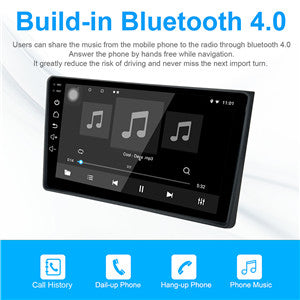
【Bluetooth 4.0】Build-in Bluetooth 4.0 with A2DP/Hands Free/Phone book
【Steering Wheel control】If your car has factory Steering Wheel key Control feature (shorted for SWC,based on resistive analog signal input only; if your car happens to use digital CANBUS data signal, and you can find applicable digital-to-resistive converter), SWC feature can still be retained. If not,need to add an external steering wheel controller (wired connection)
【Backup can not work ?】When "no signal" appears when reversing, press and hold "no signal" skip out setting window, click the reversing icon in the lower left corner of the window, and click ‘HD backcar standard’ to select the format until the reversing rear view screen appears